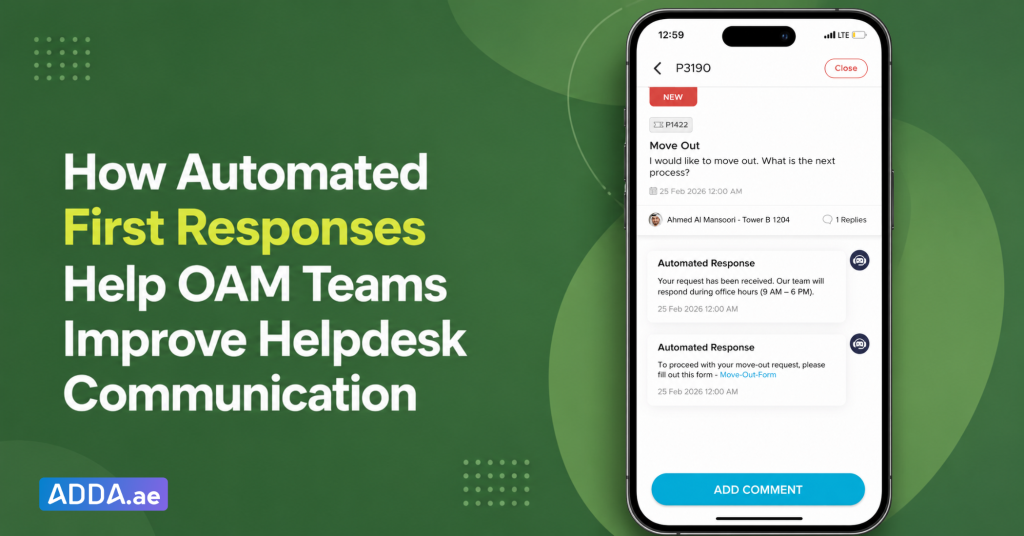
Mr. Omar, a Community Manager at an Owners Association Management Company (OAM), oversees Helpdesk operations across multiple communities.
As part of his role, he monitors resident requests, reviews service issues, and ensures that the right information reaches residents when they need it.
OAM teams already use Helpdesk to manage requests across categories such as Move-Out, Renovation, Parking, Visitor Access, and maintenance-related issues.
While Helpdesk ensures every request is captured and tracked, some requests may also require residents to receive additional information immediately, especially when they involve community processes such as move-out or are raised outside office hours.
For example, a resident may submit a Move-Out request late at night and need to understand the formalities before the next day. A resident planning renovation work may need information about approvals and required documents before proceeding.
In such situations, the request is created successfully, but residents often have to wait for the OAM team to review it before receiving further information.
To support better communication in these situations, ADDA now introduces Automated First Responses in Helpdesk.
What Are Automated First Responses in ADDA Helpdesk?
Automated First Responses allow OAM teams to configure messages that are automatically sent when a resident raises a Helpdesk request.
Instead of receiving only a ticket confirmation, residents can receive information relevant to their request immediately.
These responses can include:
- Process instructions
- Important information related to the request
- Relevant Community Forms
- Alternate contact details
- Office availability information
This helps residents understand the process without having to wait for a manual response from the community management team.
How Do Automated First Responses Work?
For Requests Raised Outside Office Hours
OAM teams can define community office hours and configure a message that is automatically sent whenever a request is raised outside those hours.
The message can include:
- Office timings
- Expected review timelines
- Information residents may need immediately
- Alternate contact details, where applicable
For example, if a resident raises a maintenance request late at night, the automated response can explain when the request will be reviewed and provide the appropriate contact information if immediate assistance is required.
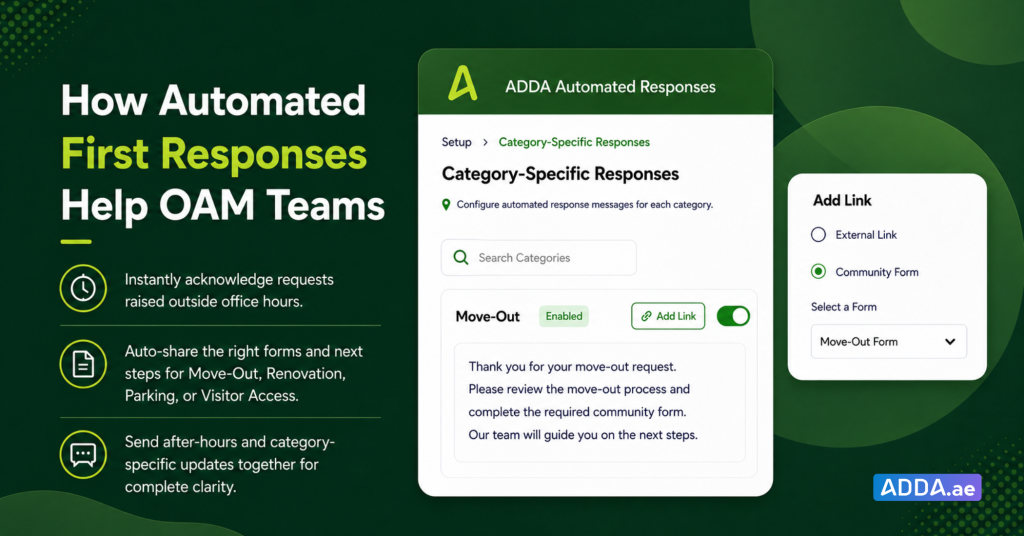
For Specific Helpdesk Categories
OAM teams can also configure separate responses for individual Helpdesk categories such as:
- Move-Out
- Renovation
- Parking
- Visitor Access
Each category can have its own customised response based on the information residents usually need.
For example, a Move-Out request can automatically share the move-out process and the Community Form required to begin approval formalities.
A Renovation request can provide information about required documents, approval requirements, and the relevant Community Form to initiate the approval process.
A Parking request can direct residents to the relevant registration process or community policies.
This allows residents to receive the right information as soon as the request is raised, while reducing the need for repeated manual responses from the community management team.
When Both Configurations Are Active
If a resident raises a request outside office hours and that Helpdesk category also has a configured response, both messages can be sent together.
The category-specific response provides information related to the request, while the out-of-office response communicates availability and expected follow-up timelines.
This ensures residents have the information they need while also knowing when the community management team will review the request.
How Do Automated First Responses Support OAM Teams?
Automated First Responses help OAM teams make service request management more consistent and efficient.
They help teams:
- Share information immediately when requests are raised
- Reduce repetitive enquiries from residents
- Communicate processes consistently across communities
- Direct residents to the right forms and information
- Set clear expectations around response timelines
- Improve the overall Helpdesk experience
Conclusion
Helpdesk is often one of the most visible interactions between residents and the community management team.
Automated First Responses help ensure residents receive relevant information from the moment a request is raised, whether it relates to a community process, a service request, or a request submitted outside office hours.
By providing timely information and setting clear expectations, OAM teams can make Helpdesk communication more structured, consistent, and efficient.
Well-run communities run ADDA.